
What if you could run your website as-is in your native app and incrementally migrate it to truly native views on a component-by-component basis? Now you can.
When developers first hear about “React Native” they probably think “wow a way to run my React code as a native app” but that isn’t quite the case.
React DOM elements such as div, span, and img aren't available because HTML isn't available. The same goes for CSS and browser APIs.
React Native offers a subset of the web but binds it to the native rendering engine. This is great for getting 100% true native performance and feel, but it’s not so great for migrating existing websites to native.
If you have a React website and want to convert it to a native app, you end up having to mostly start over. But what if you could just run your website as-is in your native app and incrementally migrate it over to truly native views on a component-by-component basis?
Introducing DOM Components
Well that’s where the new Expo DOM components features come in! With DOM components, you can mark modules with the new "use dom" directive and import it in your native app.
For example the following code:
"use dom"// This component runs in the web.export default function MyWebComponent({ name }) {return <div>Hello {name}</div>}
Can be imported and rendered instantly:
// This component is truly native.import MyWebComponent from './my-web-component';export default function Route() {return (<MyWebComponent name="World" />)}
You can also pass serializable props to the child DOM component to communicate with a type-safe API.
This also includes passing async functions to the DOM component to fire callbacks, update parent state, or interact with native platform functionality:
import * as Haptics from 'expo-haptics';export default function Route() {return (<MyWebComponent name="World" onPressAsync={async () => {// Trigger a native haptics event on button press.await Haptics.impactAsync();}}/>)}
This pattern enables you to incrementally add native functionality to your web code. For example, sending push notifications, reading device info, triggering haptic events, really the possibilities are endless.
How DOM components work
There’s a lot of bundler magic at play here. DOM components leverage many of the unique features that make Metro the best bundler for universal app development.
Behind the scenes the “use dom” directive converts files to a native WebView proxy component. This proxy creates a new Expo website where the root React component is the DOM component that you define. The props passed to the DOM component are marshaled over an async transport layer using system messages.
All of the universal bundler settings and configuration that you normally apply to Expo web will apply to DOM components. This means you can configure Tailwind once and use it everywhere!
In production, the DOM components are bundled as Expo websites (similar to npx expo export -p web) and embedded in the native binary. This enables full offline support and ensures that versioning is always aligned.
Beyond that, DOM Components also fix common issues with the WebViews DX:
- Fast refresh is injected in the DOM component to enable instantly reloading while preserving React state.
- Debugging is automatically enabled in development builds so you can connect to Safari/Chrome and inspect different DOM components.
- Errors thrown in function props are replayed over the bridge to provide more accurate stack trace information.
- Expo Atlas can be connected to inspect the output bundle and remove unused dependencies.
Customizations to the underlying WebView can be provided with the dom={{}} prop.
Finally, because DOM components leverage the excellent capabilities of Expo web, all new optimizations such as experimental tree shaking and fast resolving are applied to DOM components automatically!
Beyond incremental migration
While DOM components are great for incremental migration they can also be used to quickly enable any other functionality that you want to try in your app. This is great for experimenting with new functionality quickly without getting bogged down by native build complexity or intricate native libraries.
Here are a couple examples:
Markdown and MDX
While it’s possible to build a basic MDX viewer on native, DOM components may be a better option. Markdown can often render abstract HTML elements which are hard to fully support natively, you often end up reimplementing a web browser anyway.
Using libraries like @bacons/mdx you can import .md files in DOM components and render them as styled webviews.
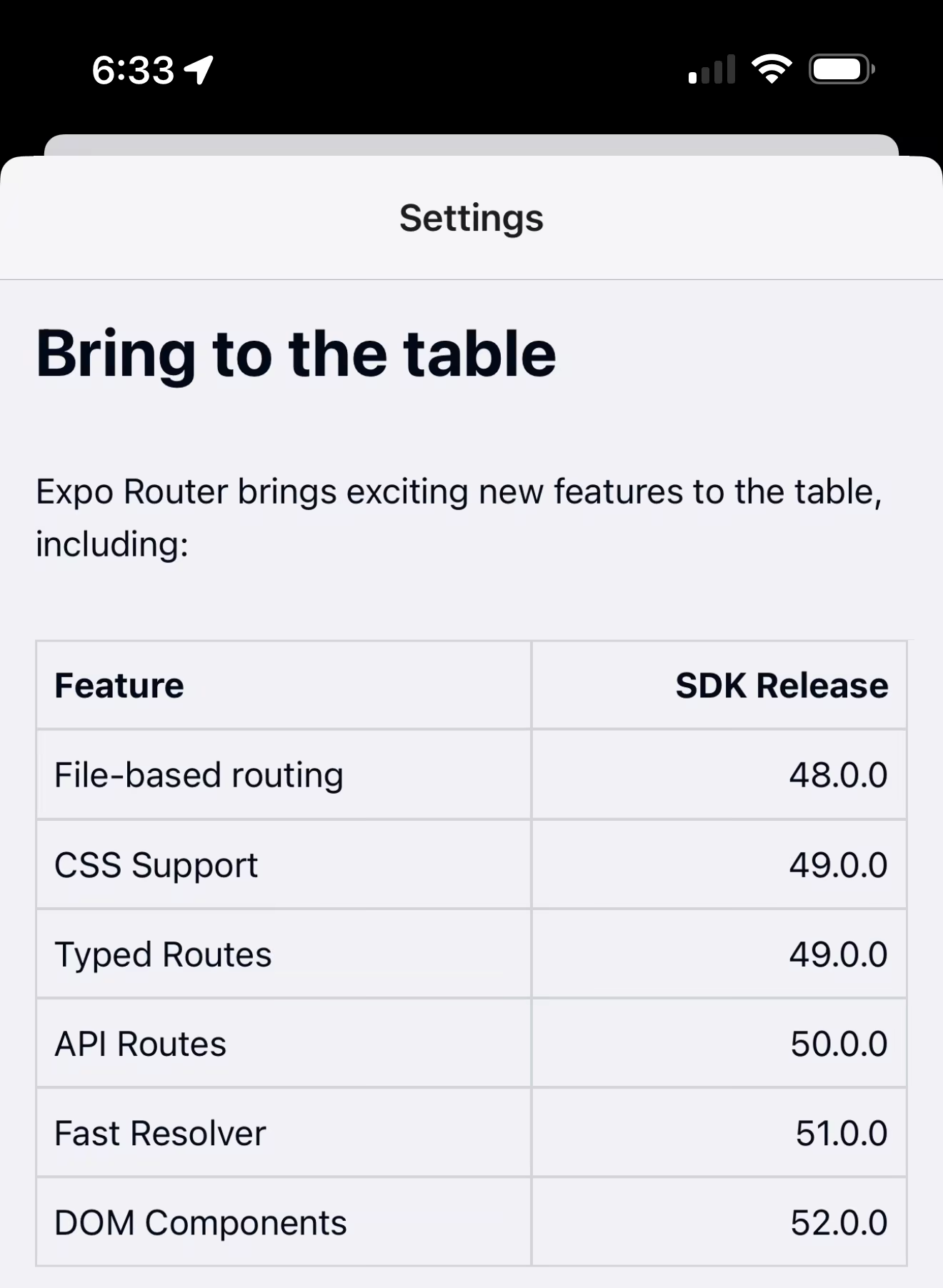
Rich-text editing
Similarly, rich-text editing can be pretty painful to reimplement natively. Everything from keyboard handling to popovers needs to be built from scratch. But with DOM components you can pull in packages like TipTap and render them instantly in a DOM component. Then pass data and callbacks through the props to interact with the editor.
Flow charts
You can even use complex flow chart libraries such as React Flow to build interactive graphs and charts:
That’s just a few examples, but there are thousands of incredible web libraries that you can pull in and instantly experiment with now thanks to DOM components!
Why DOM components?
There’s a common stigma in the native world with regards to using WebViews—and for good reasons such as devastating lock-in that requires throwing away months of work to start from scratch, and poor performance that leads to degradation in the user experience.
But based on the React Native survey and user feedback, it was clear that the convenience and iteration speed that WebViews enable have made them a major part of how developers are building apps.
By embracing this datapoint, we’ve been able to create a solution that leads to more optimized WebViews, fewer pitfalls, and enables a clear path to incremental native migration.
For example, operating systems (iOS, Android) unload WebViews when the device runs low on memory. Expo DOM components automatically resume suspended WebViews when the app returns from being backgrounded, to reconcile the experience.
Limitations and optimizations
DOM components are another powerful tool for Expo developers to move fast and solve problems but they aren’t a silver bullet. Keep these best practices in mind when you begin working with DOM Components:
- The biggest limitation is that DOM components are still WebViews. The web was originally designed for desktop computers and doesn’t feel the same as native views. Gestures, scrolling, and animations aren’t as responsive as users expect which is often fine when using a mouse cursor but feels uncanny on a touch screen.
- WebViews are also automatically throttled when the device is in low-power mode. Meaning reduced frame-rate, animation, gesture, and scrolling performance. While this is mostly all negative for forms and general UIs, it can sometimes be desirable. In the case of ambient background animations for example (spinning globe behind a checkout form), you don’t have to worry about manually reducing the resource usage to adhere to system preferences.
- For best results, always use native navigation with Expo Router, and avoid any navigation within a DOM component. Native navigation such as Stacks and Modals go a long way toward making an app look and feel native.
- Avoid using virtualized scrolling. WebViews use native scrolling for the body element which means you should limit your DOM components to having a single scrolling effect if possible.
- Native controls tend to use a wider color gamut for tint colors, and haptics for user interactions, meaning elements on the screen look and feel more natural. This is possible to reimplement with the web, but it takes a lot more effort than simply using native views through Expo.
- DOM components have their own React tree and do not share context with the native app, or JS globals with each other. This means if you have a global data store, you’ll have to pass the serialized context to the DOM component manually and implement another React context on the other side of the boundary. The same applies for global CSS and style tags.
- Expo uses Hermes engine by default which means the JavaScript is optimized at build-time for instant startup, DOM components cannot do this. Instead, WebViews use standard JS engines such as JavaScriptCore on iOS and v8 on Android, this means longer loading times. You can preload DOM components by mounting components early, but this could use up valuable device resources. When your components start to feel sluggish, it’s time to start incrementally migrating over to native.
Finally, DOM components are new—there’s never been anything quite like them before—and they don’t fully interact with all tools in the Expo ecosystem just yet. OTA updates for example will not push new DOM components over the air yet. Expo’s Universal React Server Components and Server Actions cannot be used within DOM components either. Expo Router also doesn’t have built-in support for navigating across the DOM boundary yet.
You can learn more in the limitations section of the Expo DOM components documentation.
What’s next for DOM Components (and Expo Router)?
Along with reducing the limitations and improving performance, DOM components will also be getting deeper integration with Expo Router, enabling you to navigate and read routing state from your DOM code. We’ll also continue to optimize the underlying bundling to bundle faster and share resources across DOM components for smaller binary sizes.
We’ve got some R&D efforts to enable some subset of async native Expo APIs automatically in DOM components, enabling you to easily incorporate native functionality without needing to bridge everything over props.
Holistically, DOM components will make migration from React website to React Native easier than ever before. The next steps here will be to continue improving the capabilities of the native runtime by adding more native styles such as the upcoming backgroundImage support in Expo SDK 52. In addition to Expo Router, tools like react-strict-dom, nativewind, and stylex will also contribute greatly to bringing native closer to the web without compromising on performance.
Overall, a lot to look forward to here! Including this livestream where I'm planning to build a quick SpaceX launch tracker app with the new Expo React Server/DOM Components support live: